How to convert a bank statement PDF to Excel
Banks give you statements as PDFs, but to sort the transactions, add them up or hand them to an accountant, you need a spreadsheet. Here's how to get one, without sending your statement to a stranger's server.
By the PDF ProMaster team · Published · Facts checked 3 November 2026
Quick answer: open PDF to Excel, choose your statement, keep Everything on one sheet, and download the .xlsx. The conversion happens in your browser, so the statement never leaves your device. Amounts become real numbers that SUM can add up, and a statement that runs over several pages becomes one table.
Why bank statements are the hardest PDFs to convert
A PDF stores positioned text, not spreadsheet cells, so a converter has to work out where the columns are. Bank statements make that harder than most documents: every bank lays its statement out differently, the layout changes over the years, descriptions wrap onto a second line, and the column headings are printed again at the top of every page. On the Adobe Community forum, a user converting statements from five banks was told by the top contributor that Acrobat is unreliable for this and that scripts would break whenever a bank changed its layout. Another user converting statements for pivot tables found data from different columns landing in single cells, and single columns spread across several.
So whichever tool you use, the honest advice is the same: convert, then check the columns before you rely on the totals. A good converter gets a clean statement right; no converter can promise that for every bank's layout.
The privacy question comes first
A bank statement shows your account number, your balance and everything you spent. Most online converters work by uploading your file to their server, converting it there, and letting you download the result, which means your statement sits, even briefly, on a computer you don't control. PDF to Excel on this site works the other way round: the page downloads the converter to your browser, and your statement is read and converted on your own device. Nothing is sent to us or anyone else. You can even load the page, turn your internet off, and convert.
Convert a statement with PDF to Excel
- Open PDF to Excel and choose your statement PDF. It opens on your device and isn't uploaded.
- Keep "Everything on one sheet". A statement that runs over several pages becomes one table, and the column headings repeated on each page are left out. Choose one sheet per page only if you want the pages kept apart.
- Press the button and download your .xlsx. It opens in Excel, Google Sheets, LibreOffice or Numbers.
- Check it. Compare a few rows and the closing balance against the PDF before you rely on sorting or totals.
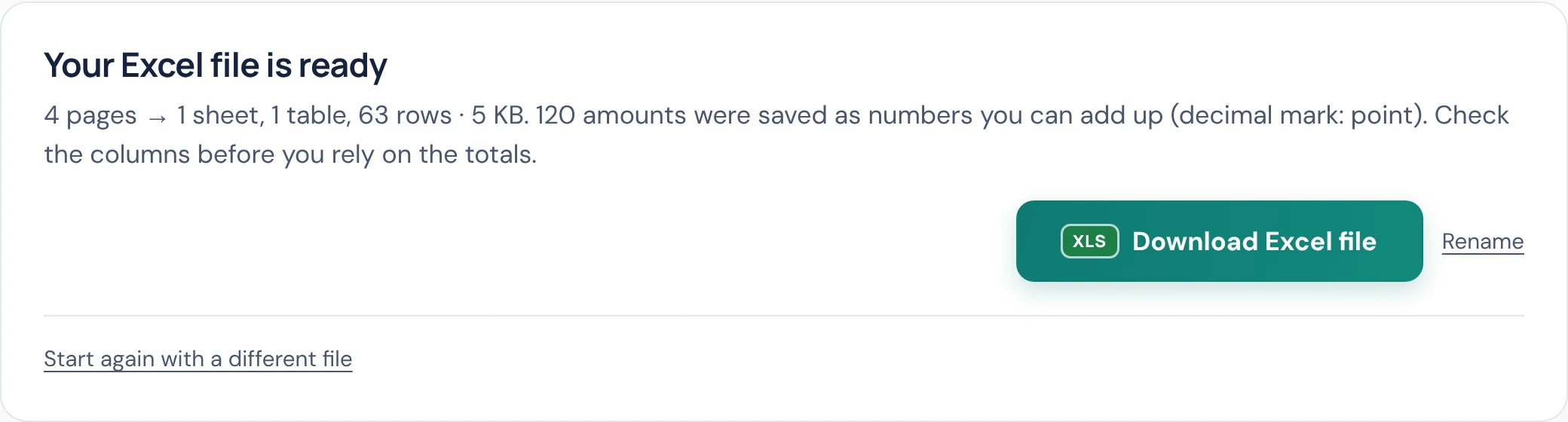
Amounts come out as real numbers, not text: 1,234.56, (12.00), -5 and £20 all work, so SUM and sorting work straight away. Account numbers that start with 0, long reference numbers and dates are kept exactly as written, so they don't lose their leading zeros or turn into dates you didn't want. Text outside the table, such as the account name, is kept too, one line per row, so you can delete what you don't need rather than hunt for what's missing.
Scanned or photographed statements
If your statement is a scan or a photo, there's no text in the file to read, only a picture. The tool notices this and reads the pages with text recognition (OCR) on your device first, in any of 28 languages. OCR of numbers is never perfect: a smudged 8 can become a 3. For a scan, check every amount against the picture before you use it. If the scan is crooked or faint, scan it again, flat and straight, and you'll get a much better table. A 2015 thread on the Adobe forum about statements converting with lines but no data came down to exactly this: the quality of the source PDF decides the quality of the spreadsheet.
Other honest ways to get a statement into Excel
- Ask your bank for a spreadsheet. Many online banking sites can download recent transactions as CSV or Excel directly, which skips conversion entirely. That is also what Adobe's own community experts recommend when Acrobat struggles. The catch: portals often only reach back a year or two, so for older statements you're back to PDFs.
- Excel's own "Get Data from PDF". Desktop Excel (Microsoft 365) can import tables from a PDF via Get Data. It works on simple tables, but users on Microsoft's own forum report mixed results with bank statements, and it isn't available in the free web version of Excel.
- Adobe Acrobat (paid). Acrobat's Export PDF can produce an .xlsx, with the same layout caveats as any converter; the threads above are from people doing exactly this.
Tips
- Convert the PDF from your bank, not a print-out you scanned. The original PDF has real text in it and converts far more accurately than any scan.
- Do one statement first. Check the columns and the closing balance, then do the rest the same way.
- Need the words rather than the numbers? PDF to Word turns the statement into a document instead.
Questions
Is it safe to convert a bank statement online?
It depends on where the conversion happens. Most online converters upload your statement to their server. On this site, the conversion runs in your browser on your own device, and your statement isn't sent anywhere, which you can verify by loading the page and then turning your internet off before converting.
Will the amounts add up in Excel?
Yes. Amounts are saved as real numbers with their decimal places, currency signs and minus signs, so SUM and sorting work straight away. Still check a few rows and the closing balance against the PDF first.
Can I convert a statement that runs over several pages?
Yes. Choose Everything on one sheet and the transactions from every page go into one table, with the headings repeated at the top of each page left out.
Why do some statements convert badly?
Every bank lays out its statement differently, and a PDF stores positioned text rather than cells, so columns have to be worked out from the layout. Clean statements from the bank convert well; scans, photos and unusual layouts may need fixing in Excel.
Does it work with scanned statements?
Yes. Scanned pages are read with text recognition (OCR) on your device first. OCR of numbers is never perfect, so check every amount from a scan before relying on it.
Can I get Excel directly from my bank instead?
Often, yes. Many online banking sites download recent transactions as CSV or Excel, which is the most accurate route when it's available. Portals usually only reach back a year or two, so older statements still need converting from PDF.
Try these tools
Related guides
How we write our guides: the limits, formats and prices of other organisations in this guide are checked against the official pages linked under Sources, on the date shown. Instructions describe only features our tools actually have. Spotted something out of date? Tell us and we'll correct it.
Sources
- Adobe Community: Exporting bank statement from Acrobat to Excel (October 2021) (checked 3 November 2026)
- Adobe Community: Unacceptable format issues following PDF conversion to Excel (January 2023) (checked 3 November 2026)
- Adobe Community: Why is data missing when PDF file is converted to Excel (April 2015) (checked 3 November 2026)
- Microsoft Tech Community: PDF to Excel (June 2023) (checked 3 November 2026)
Adobe and Acrobat are trademarks of Adobe Inc. Microsoft, Excel and Microsoft 365 are trademarks of Microsoft Corporation. Google Sheets is a trademark of Google LLC. LibreOffice is a trademark of The Document Foundation. Numbers is a trademark of Apple Inc. PDF ProMaster is independent and isn't affiliated with, endorsed by or sponsored by them. Comparisons are based on the sources above; if anything here is out of date, please let us know and we'll correct it.